Domain Not Authorized
Issue
When trying to view a self-hosted Web AR experience, I receive a "Domain Not Authorized" error message.
Solutions
-
Make sure you have white-listed the domain(s) of your web server. Self-Hosted domains are subdomain specific - e.g.
mydomain.comis NOT the same aswww.mydomain.com. If you will be hosting at bothmydomain.comandwww.mydomain.com, you must specify BOTH. Please refer to the Connected Domains (see Self Hosted Projects) section of the docs for more info. -
If Domain='' (empty), check the
RefererPolicysettings on your web server.
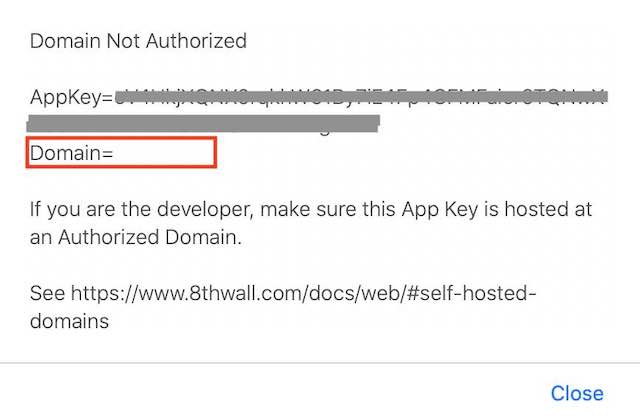
In the screenshot above, the Domain= value is empty. It should be set to the domain of your
self-hosted WebAR experience. In this situation, the Referer Policy of your web server is too
restrictive. The Referer http header is used to verify that your app key is being used from an
approved/whitelisted server.
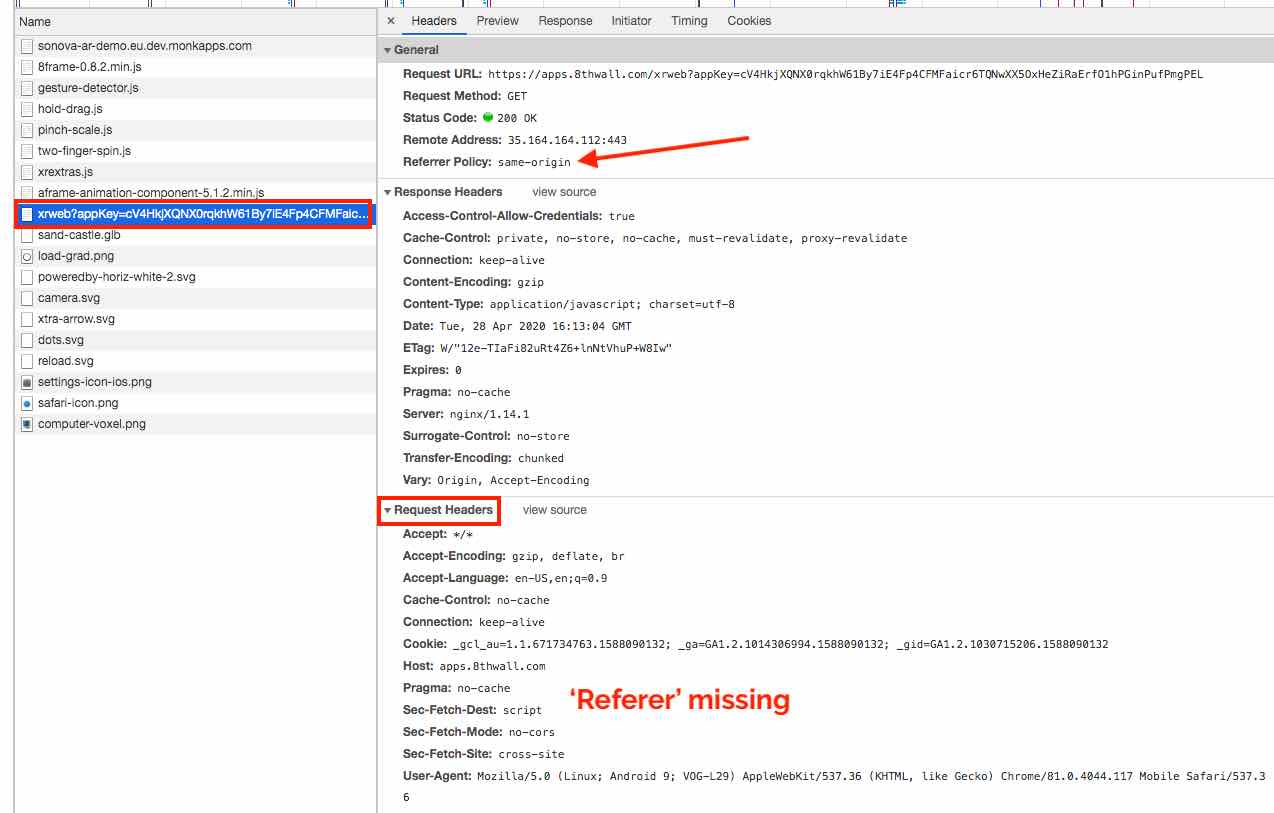
To verify the configuration, open the Chrome/Safari debugger and look at Network tab. The xrweb
Request Headers should include a Referer value, and this needs to match the domain(s) you have
whitelisted in your project settings.
Incorrect - In this screenshot the Referrer Policy is set to "same-origin". This means a referrer will only be sent for same-site origins, but cross-origin requests will not send referrer information:
Correct - The xrweb Request Headers includes a Referer value.
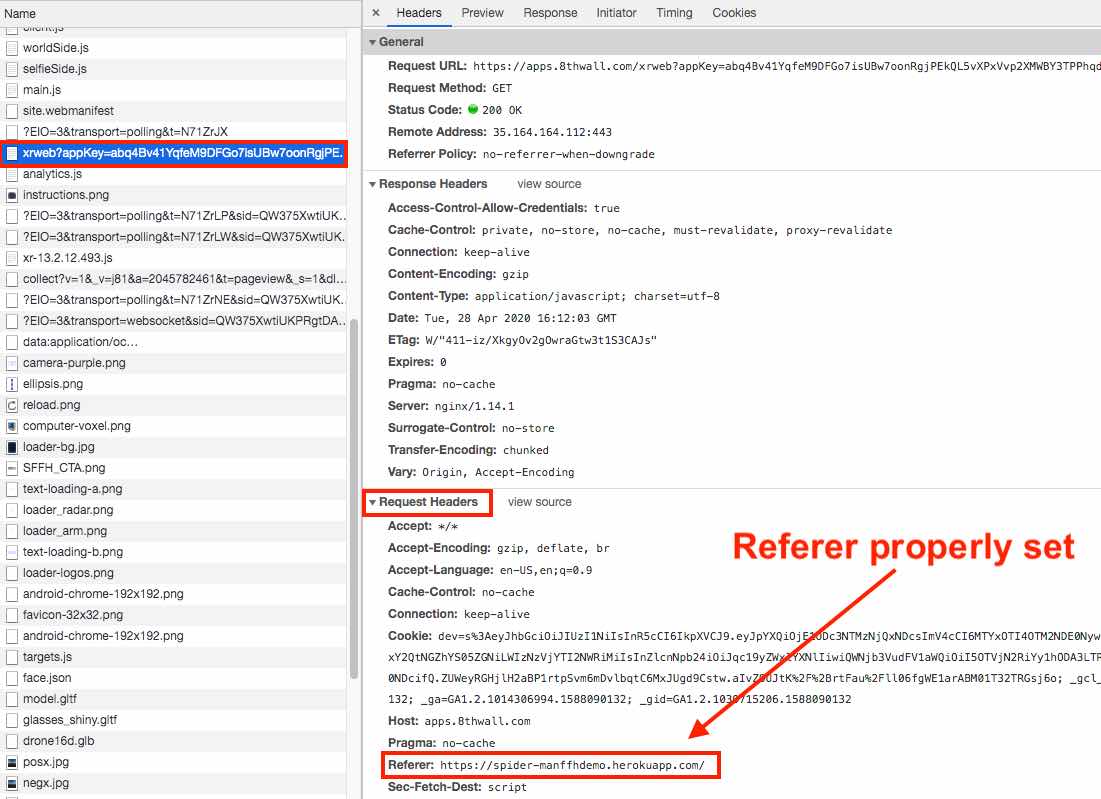
The default value of "strict-origin-when-cross-origin" is recommended. Please refer to https://developer.mozilla.org/en-US/docs/Web/HTTP/Headers/Referrer-Policy for configuration options.